How do I change or add tags, update cast and crew, add images, posters and videos, or other info?
Introduction
This article outlines the steps to add your own custom assets for a film or tv show via the usheru dashboard. When you click in to edit one of your titles in the dashboard you will see our generic film data in the ‘Information’ and ‘Assets’ tab which we import from TMDB. However under the tab ‘Custom Movie Data’ you can upload your own custom artwork and information which will override any generic data in our database to display on your usheru Connect film pages.
Steps
1. Go to the dashboard - 'Films' and click into the Film or TV tab depending on what once of your titles you want to edit.
2. Find title you want to edit via the search bar and click pencil icon to edit the corresponding title.
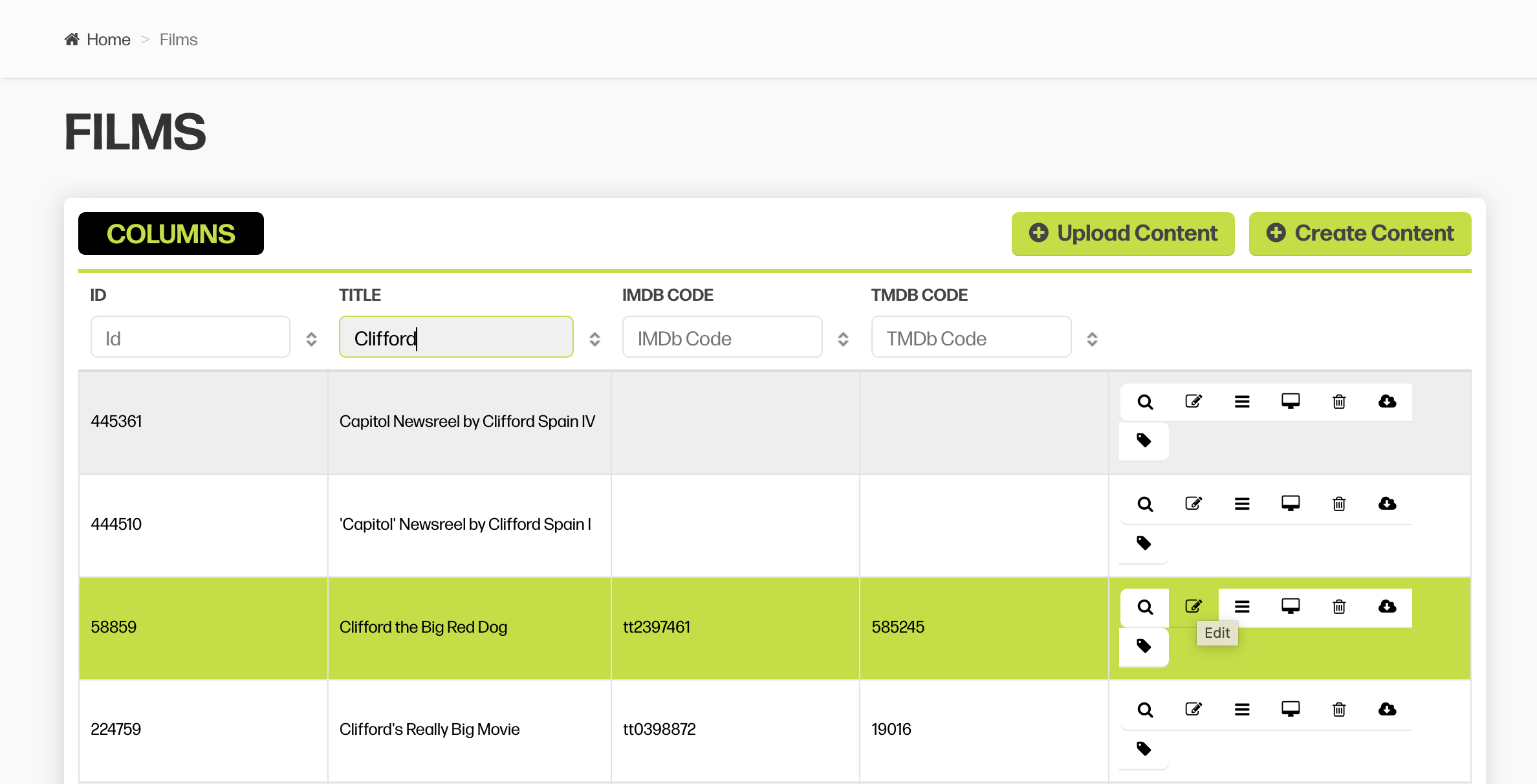
3. You'll first land on a tab labelled 'Custom Movie Data'. This is where you will add all of your information and artwork assets. You must first click 'Create' to begin adding custom data and assets..png?sv=2026-02-06&spr=https&st=2026-07-15T15%3A31%3A32Z&se=2026-07-15T15%3A42%3A32Z&sr=c&sp=r&sig=TVRIjPcZUaf9pKuIFX2prMlWIRdSPoy%2FgD4k8mR6oDo%3D)
4. Additional fields will populate below and you can now update each individual section as you would like.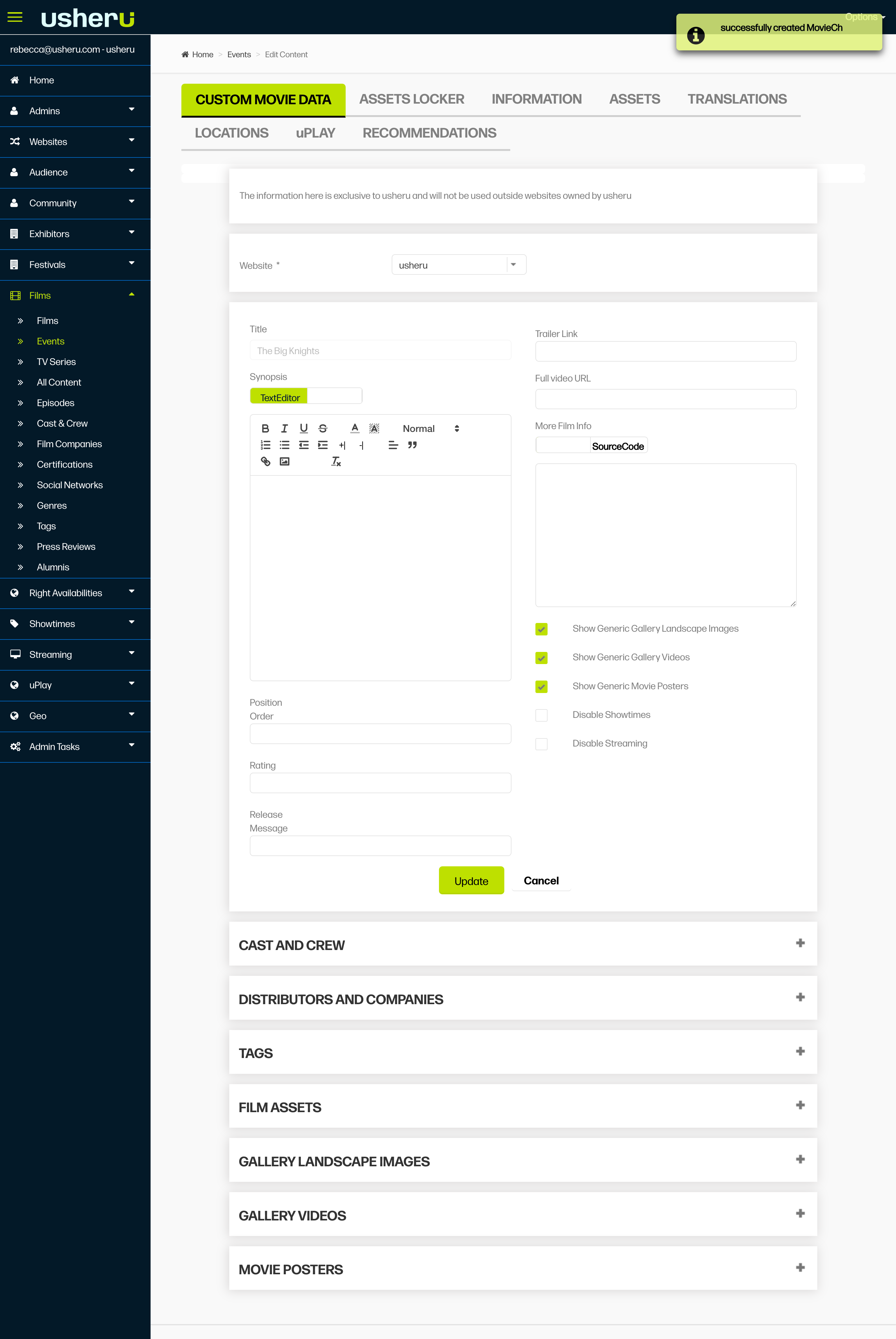
NOTE: Under Custom Movie Data, everything you add is restricted to only your own site. The other sections display usheru's main database information, meaning it can be used by any usheru client website (including yours).
For information on adding image assets specifically, please check out this article.
Trailers
A trailer can easily be added to the field ‘Trailer Link’, located to the right of the synopsis, please just enrsure that you add the full video URL in this field. However if you wish to upload a mp4 trailer, please make sure the size of the file is under 100mB, send it to clientsupport@usheru.com and our client support team will upload this for you.
Summary
usheru’s generic data is fed on your site as a default unless decided otherwise during onboarding. If you add any data to the Custom Data tab, this will overwrite the default usheru data for your site. E.g. if usheru has a Movie Synopsis, this will display unless you add your own Synopsis under Custom Movie Data. If you have a multilanguage usheru Connect platform, please check out this article on how to add your assets correctly.