How to add or amend a release date for a specific country
Introduction
Adding or amending a local theatrical or streaming release date is simple via the usheru dashboard. By going to the Locations tab and following the steps below, your site will show the correct release date to your users based on their location.
Steps
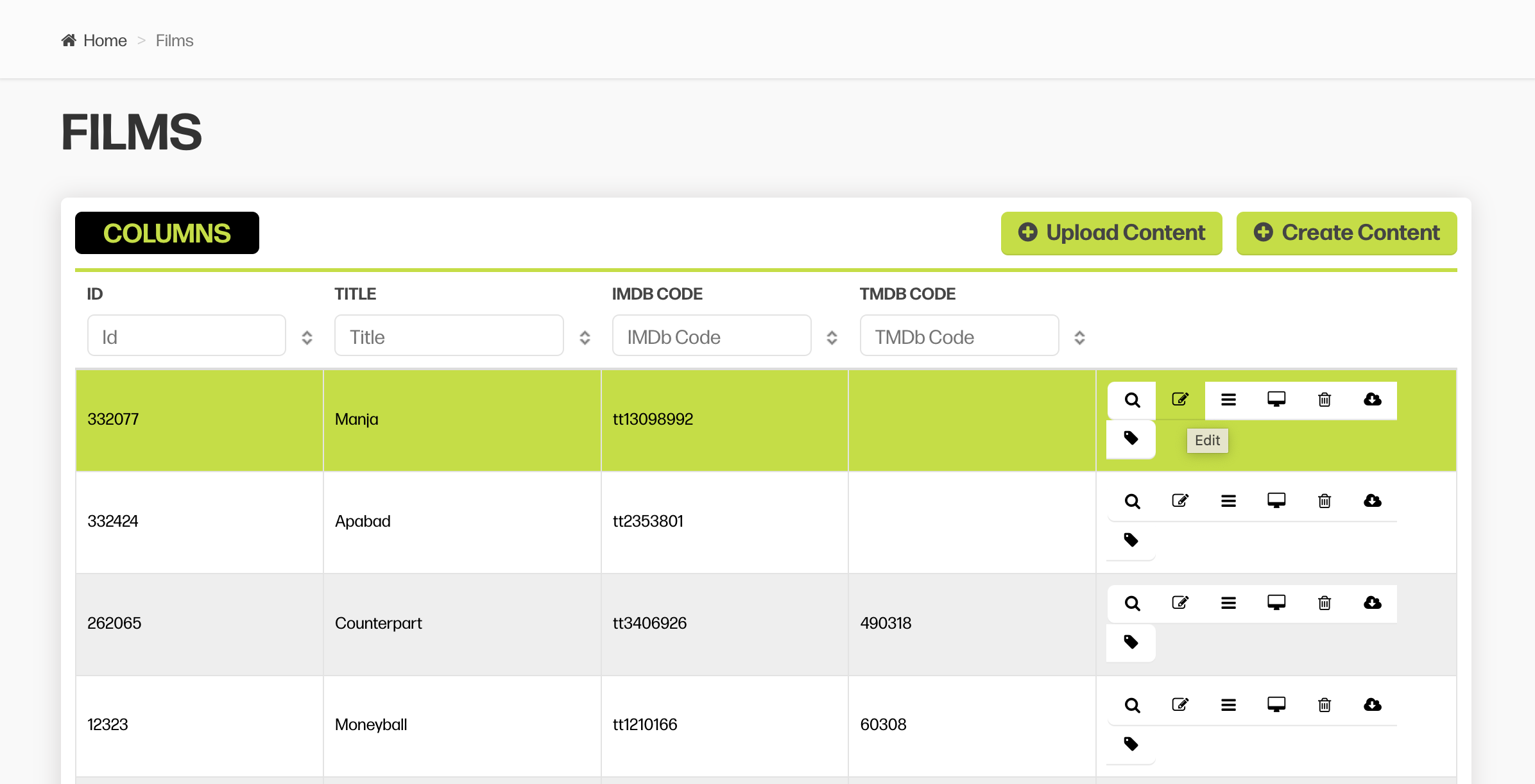
1. Open up your Dashboard and search for the film you are looking to update. Then click the pen icon next to the title.
2. Click on the heading "Location" and search for the the country of the film you want to edit. Click on the pen icon next to the country you wish to edit or click “Add Location” if it doesn’t already exist 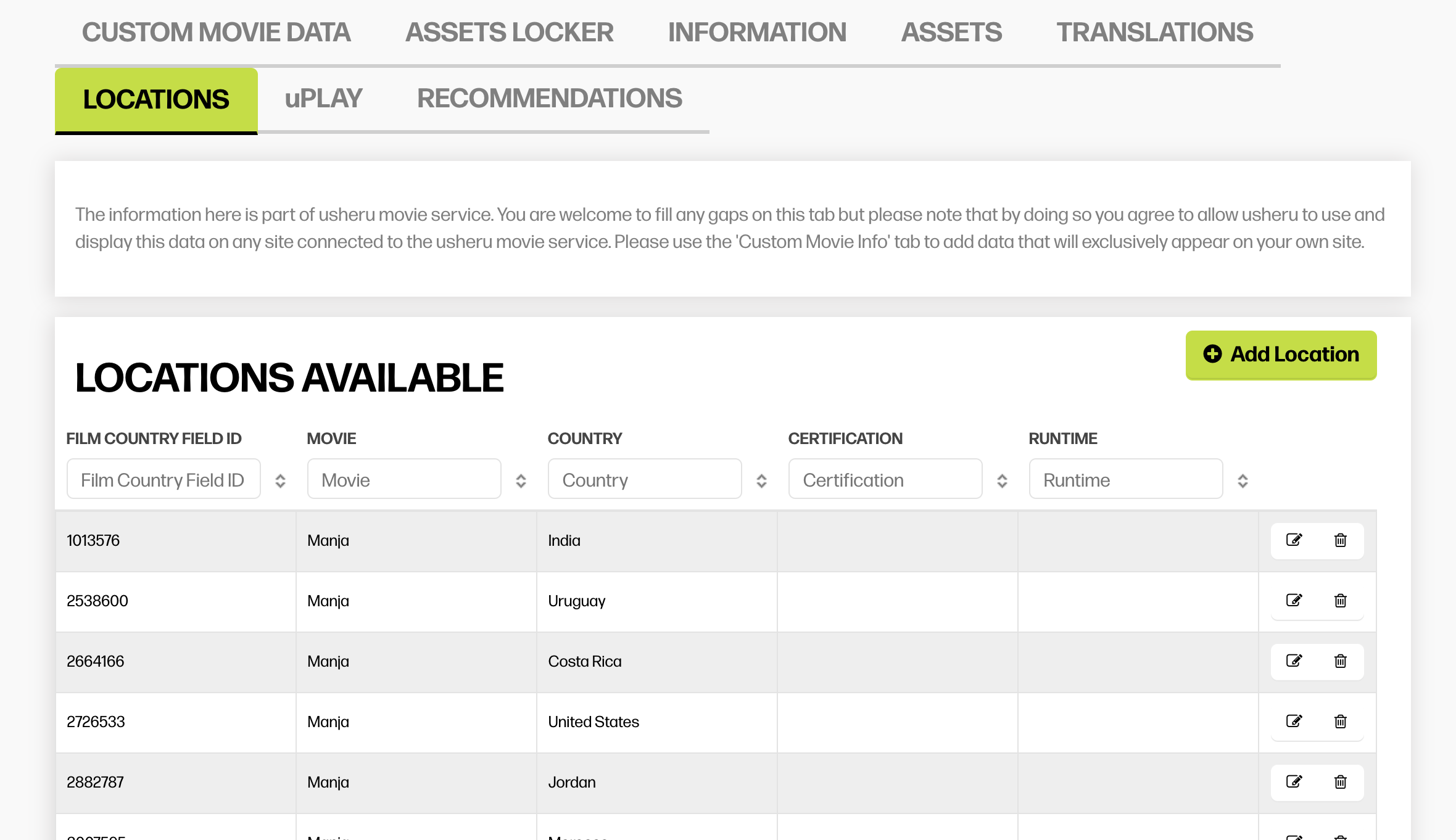
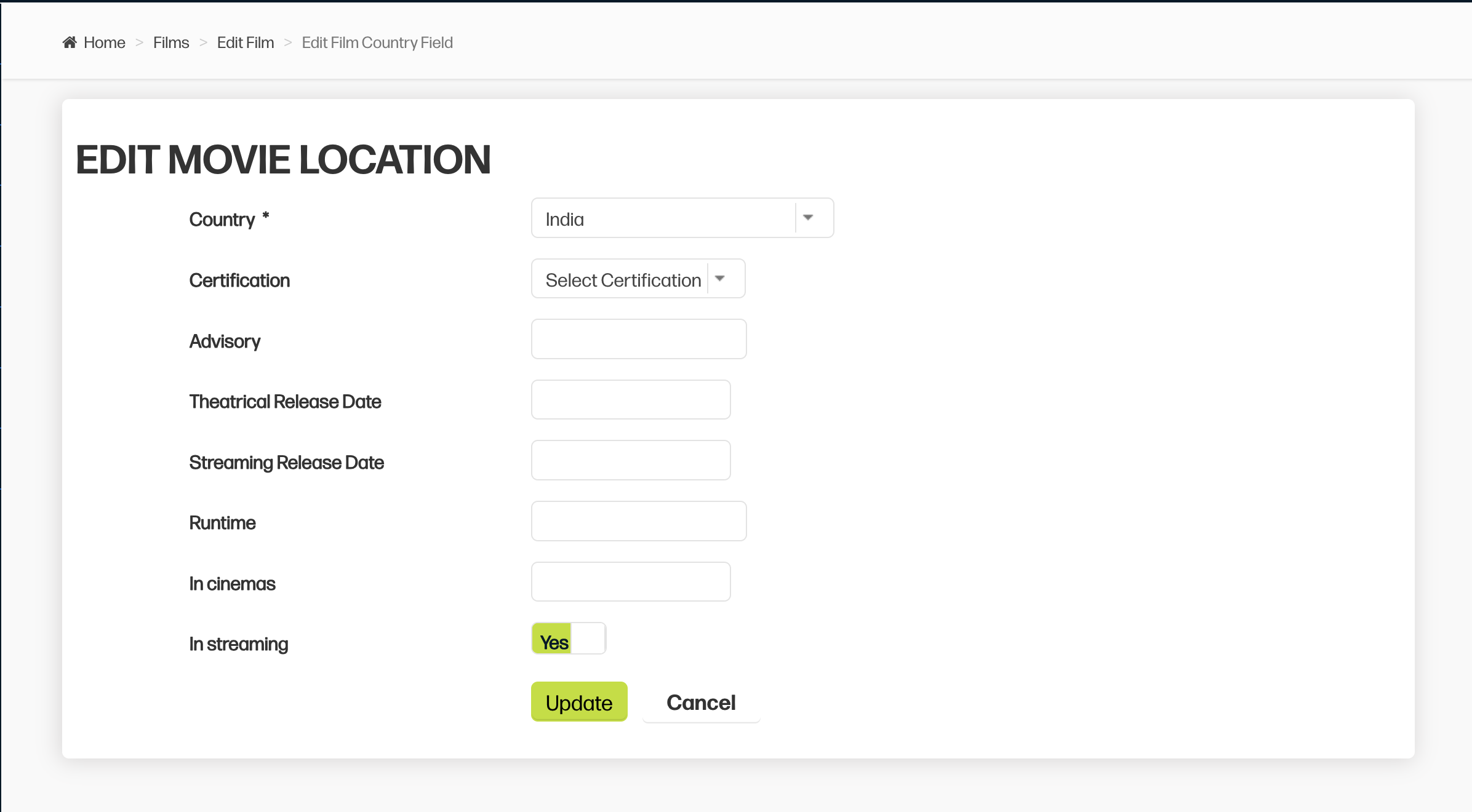
Now input the theatrical/streaming release and click update. Please do not add anything into the “In Cinemas” field.
Summary
By adding the correct release dates under the Locations tab in the film edit menu, you can ensure that your audience always see the correct release date for their chosen location when using your usheru Connect platform.