How to link a new title to your usheru Connect platform
Introduction
Adding new films or tv shows must be done with the support of the usheru client support team but the process is quick and easy.
Steps
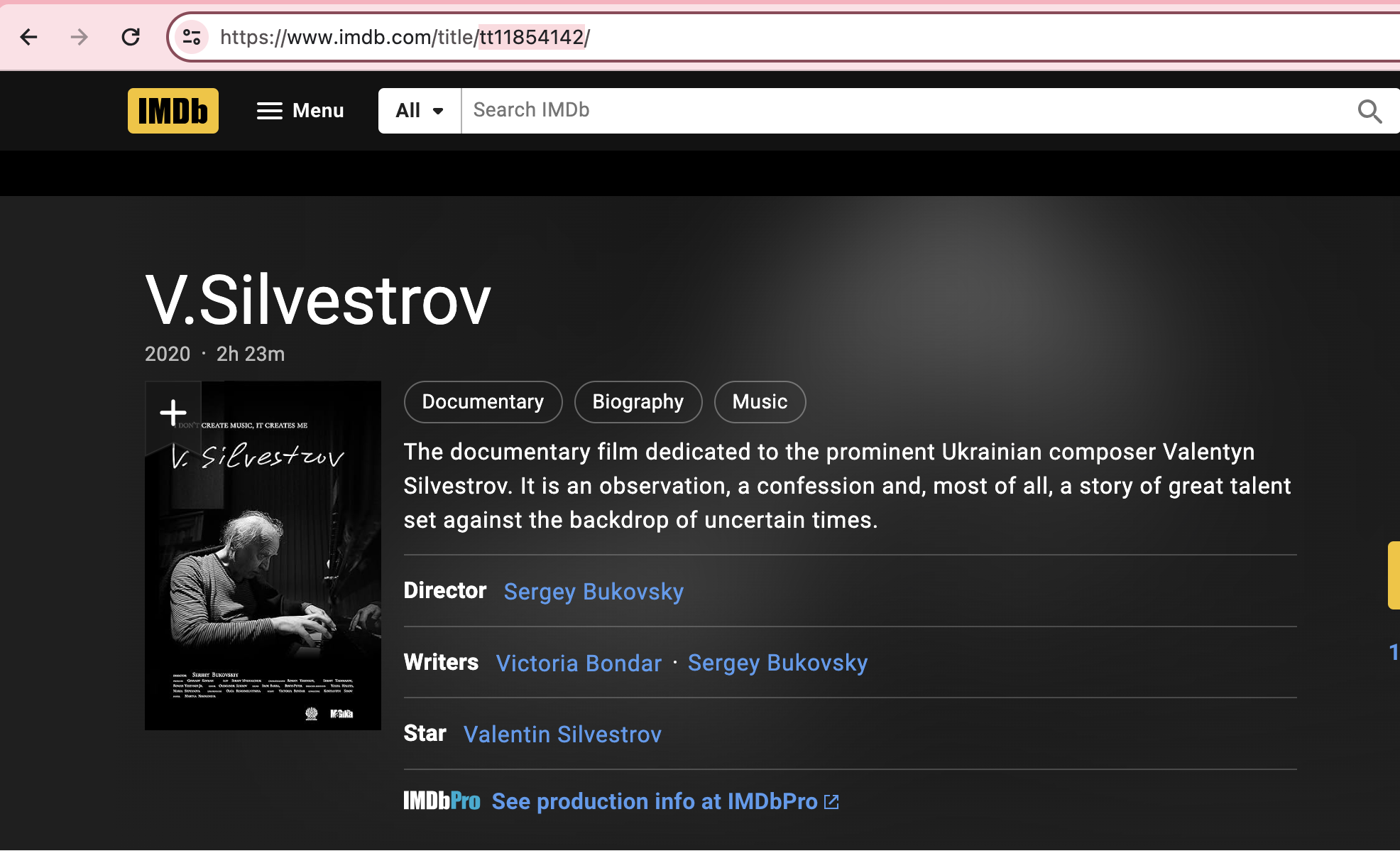
Each time you have a new title to add to your Connect platform, please send the film name and imdb code (found in the url as shown below) to clientsupport@usheru.com with 'New Film to add' in the subject of your email.
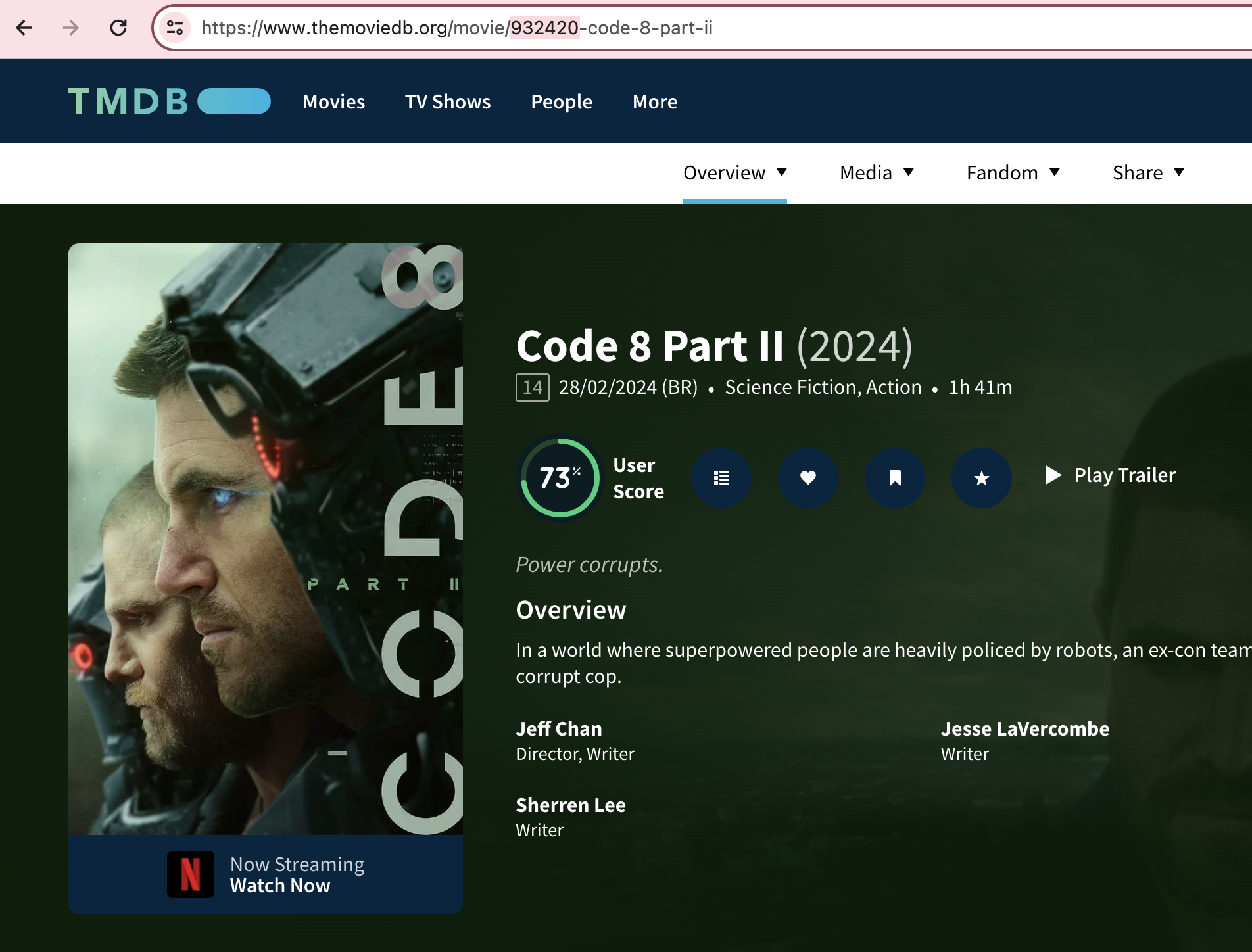
If there is no IMDB page for this title, you can also check TMDB and send on the ID to client support as pictured below.
If this is also not available, please send some identifying information like Director and year.
2. If payment is required, this will be carried out according to the terms of your agreement.
3. The usheru team will link this title to your website and it will appear within the next hour on the usheru Connect platform, and in your usheru dashboard under Films, Events or Tv shows depending on the content type.
Conclusion
Currently all requests to add new titles to your platform must be forwarded to the support team who will handle the request as per the terms of your agreement.