How to add or remove links to your social media accounts
Introduction
During the onboarding process we will add your requested social media links to your usheru Connect website however once live you have the ability to add additional social network links and hide or even delete the existing ones via the dashboard.
Steps
1. Navigate to Website - Social Networks. You can either edit an existing Social Network links here, or create a new one.
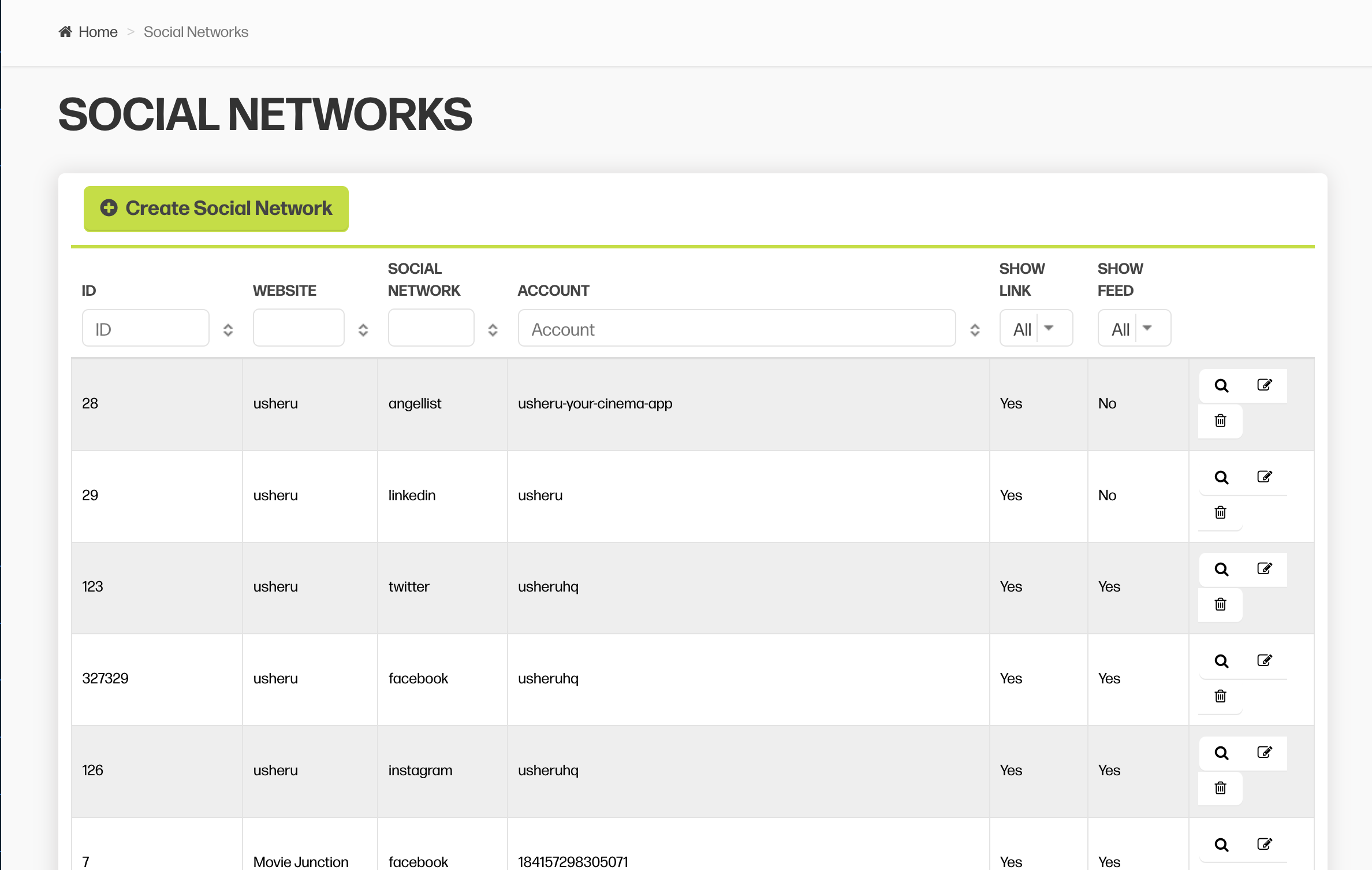
2. You then will need to fill out the following fields:
Selection Website / Film: Select website to add social media for your company or website. Select Film to add social media for a film.
Social Network: Select the network you would like to add
Account: Add your account name. You don't need to copy in the full link.
For example, for twitter you just add what comes after your @. E.g. usheruHQ for https://twitter.com/usheruHQ
For Facebook, add what comes after the forward slash. E.g usheruhq for https://www.facebook.com/usheruhq
Show Link: Select Yes to show the link as a social media logo in your website's header or footer (depending on your website design) Select No for no link to appear.
Summary
Social network links can be managed entirely by your team via the usheru dashboard but our client support team are always on hand to help. If you have any issues creating a social network or it doesn’t appear on your site, there may be an error in your configuration which we will help you to resolve.