How to add your Google Analytics 4 ID to your usheru Connect for tracking purposes.
Introduction
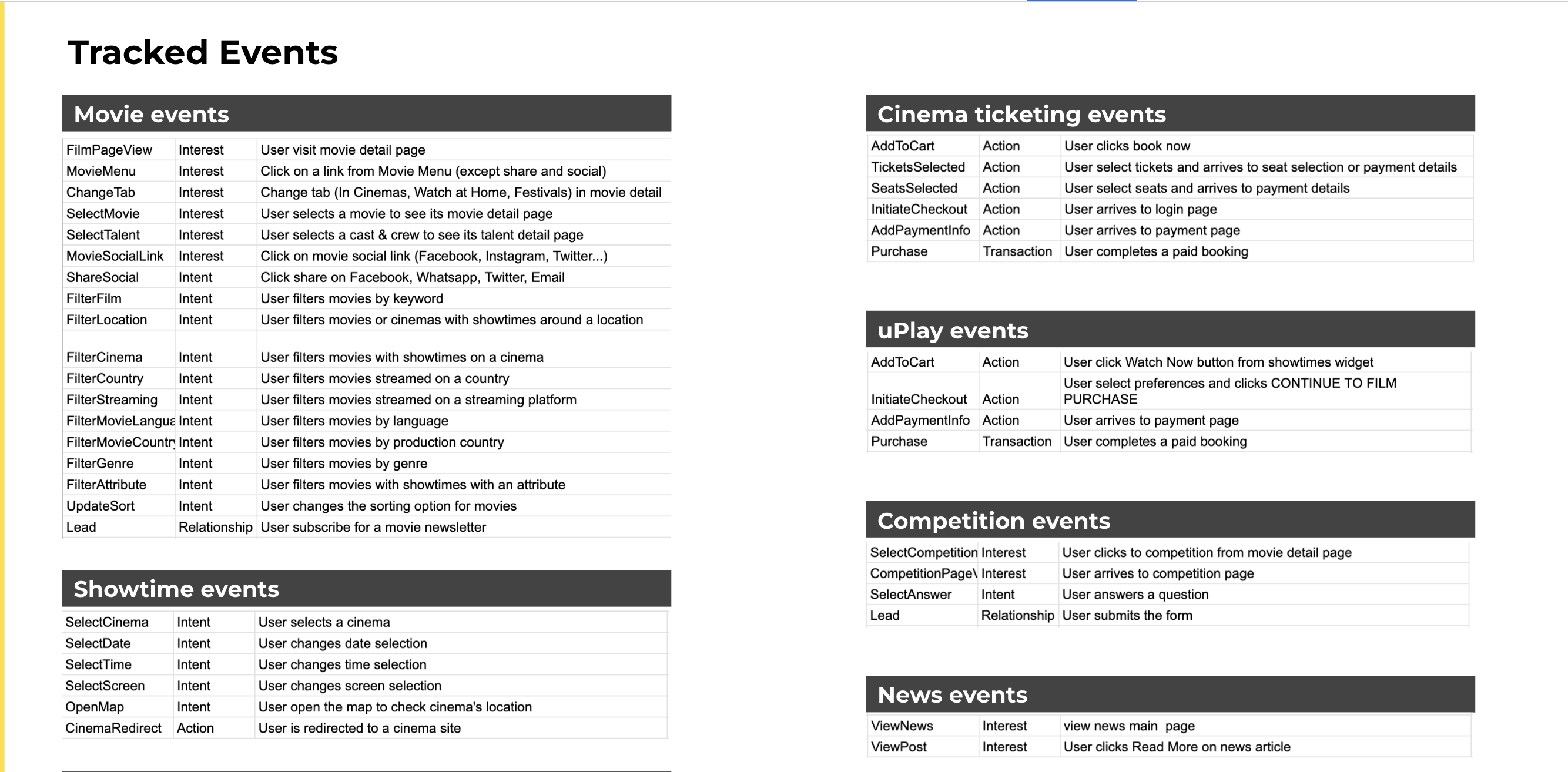
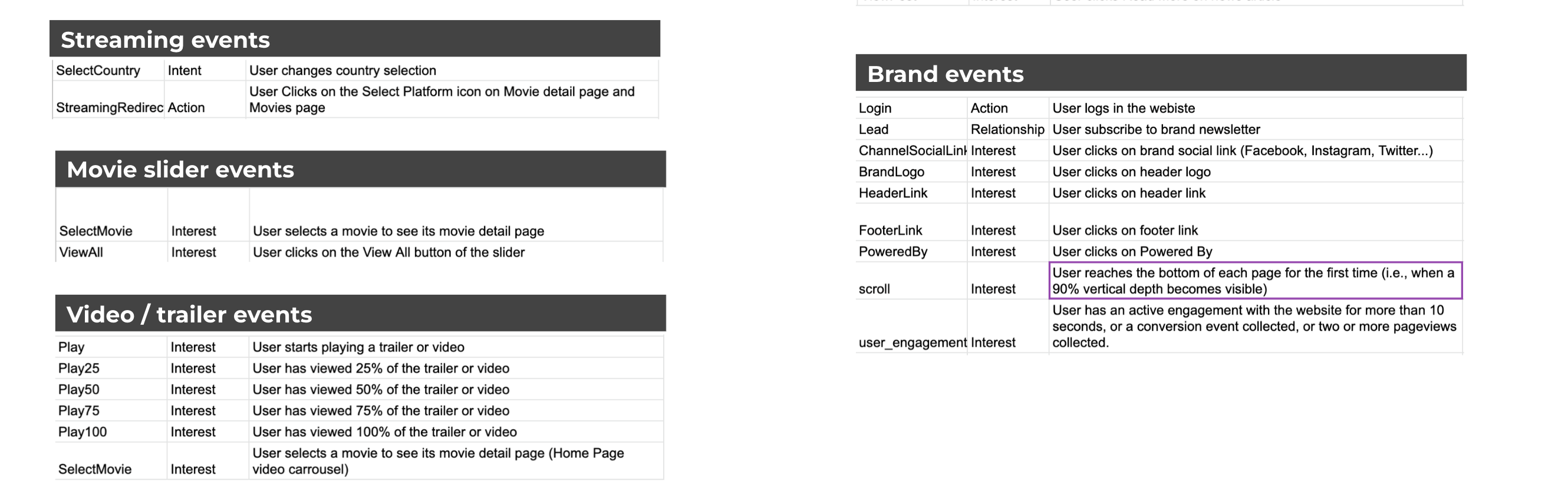
As a usheru Connect partner we can send you the events tracked on your usheru solution if you have a Google Analytics account. In this article we will explain what our partners can expect to receive.
Steps
1. Your GA4 ID will be requested by a member of the client success team during the onboarding process, but if you set up a google analytics account post live, please send this ID to clientsupport@usheru.com so it can be added promptly.
(Please take a look at the below article if you are having difficulty finding this)
https://support.google.com/analytics/answer/12270356?hl=en
2. usheru will then add this ID to your usheru product
3. Please check your Google Analytics account, as you should now be receiving the tracked events to your Google Analytics account. If you are unsure please contact clientsupport@usheru.com.
Depending on your usheru solution, the events you receive will vary as shown below.
Summary
If you are an usheru Connect partner you will receive the events shown in this article to your Google Analytics account. Depending on the nature of your website or standalone film page, you may not receive all of these events. For example, if you do not have usheru stream (formerly uPLAY) you will not see those particular events.