Steps to get the Vimeo link needed for usheru Stream and the recommended privacy settings
Introduction
If usheru Stream is included in your usheru Connect platform, you will first need a paid subscription to Vimeo to begin uploading your content. To see which plan will suit your needs visit https://vimeo.com/upgrade-plan. The number of videos you can upload will depend on your plan. Once you have the appropriate subscription set up, you can follow the steps below to upload your content to vimeo or make any of your currently uploaded films suitable for use with usheru Stream.
Steps
How To Upload a Film To Vimeo
Begin by logging in to your Vimeo account and uploading your video to Vimeo.
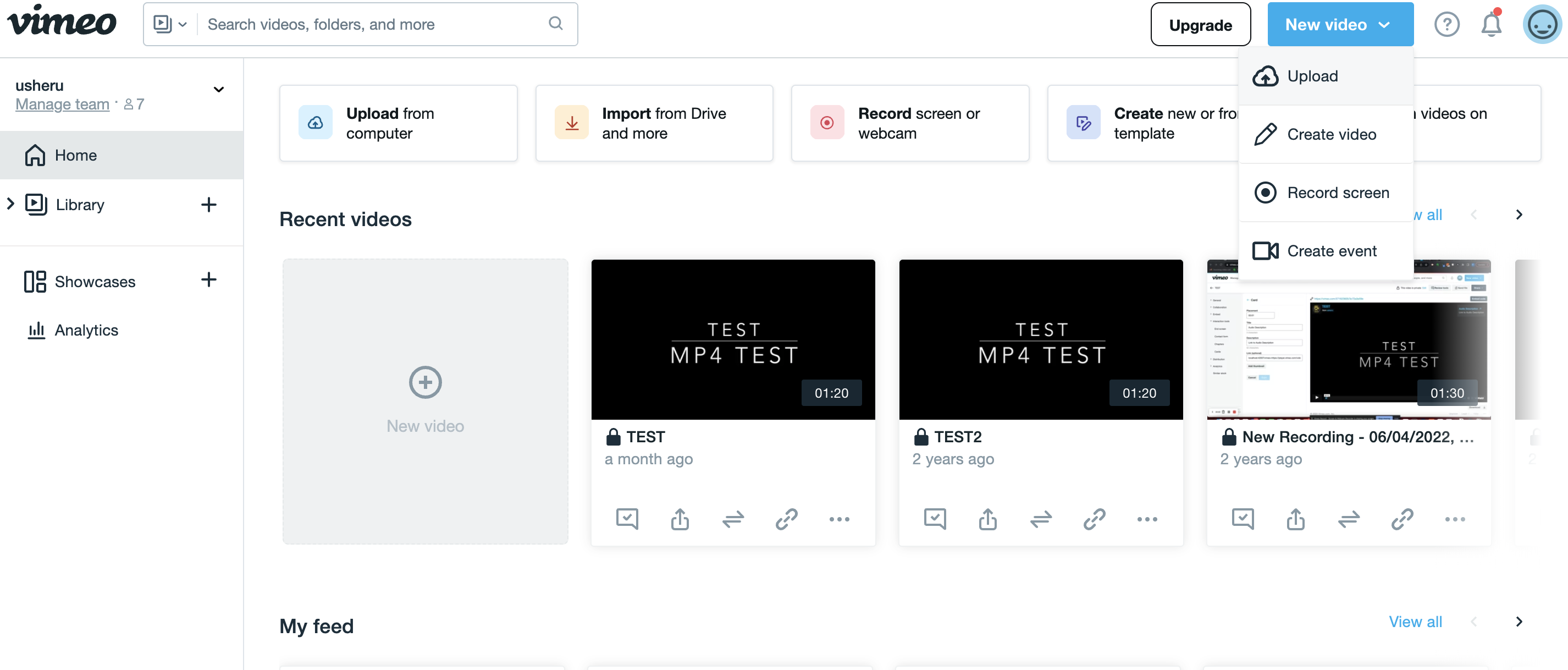
(If you have never done this before, you can follow a vimeo support article here.)
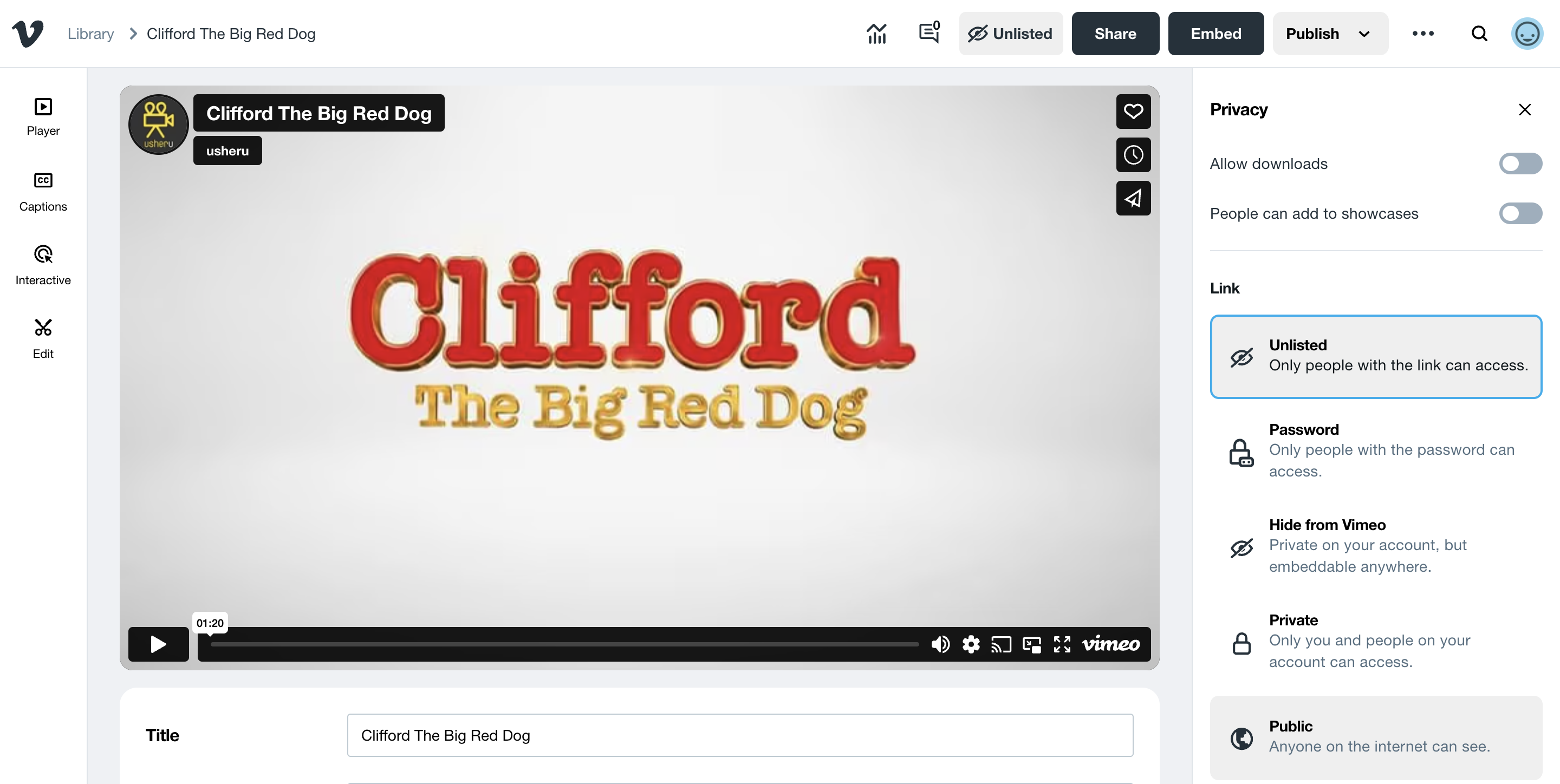
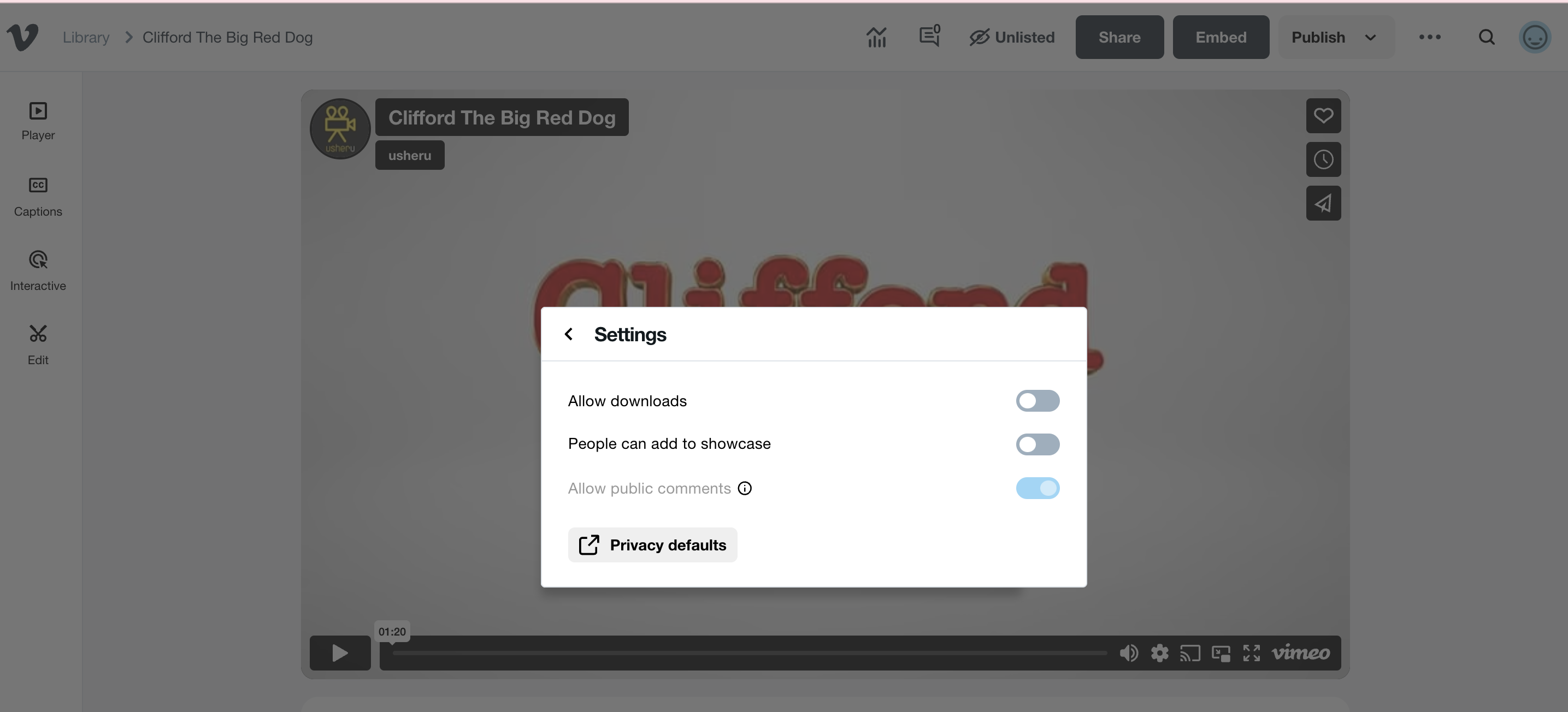
2. Next you need to apply privacy settings to your video to ensure it cannot be freely accessed or downloaded. In the settings under Privacy ensure that the following are both disabled;
Allow Downloads
People can be added to showcase
Then under Privacy > "Link" ensure the video is set as "Unlisted"
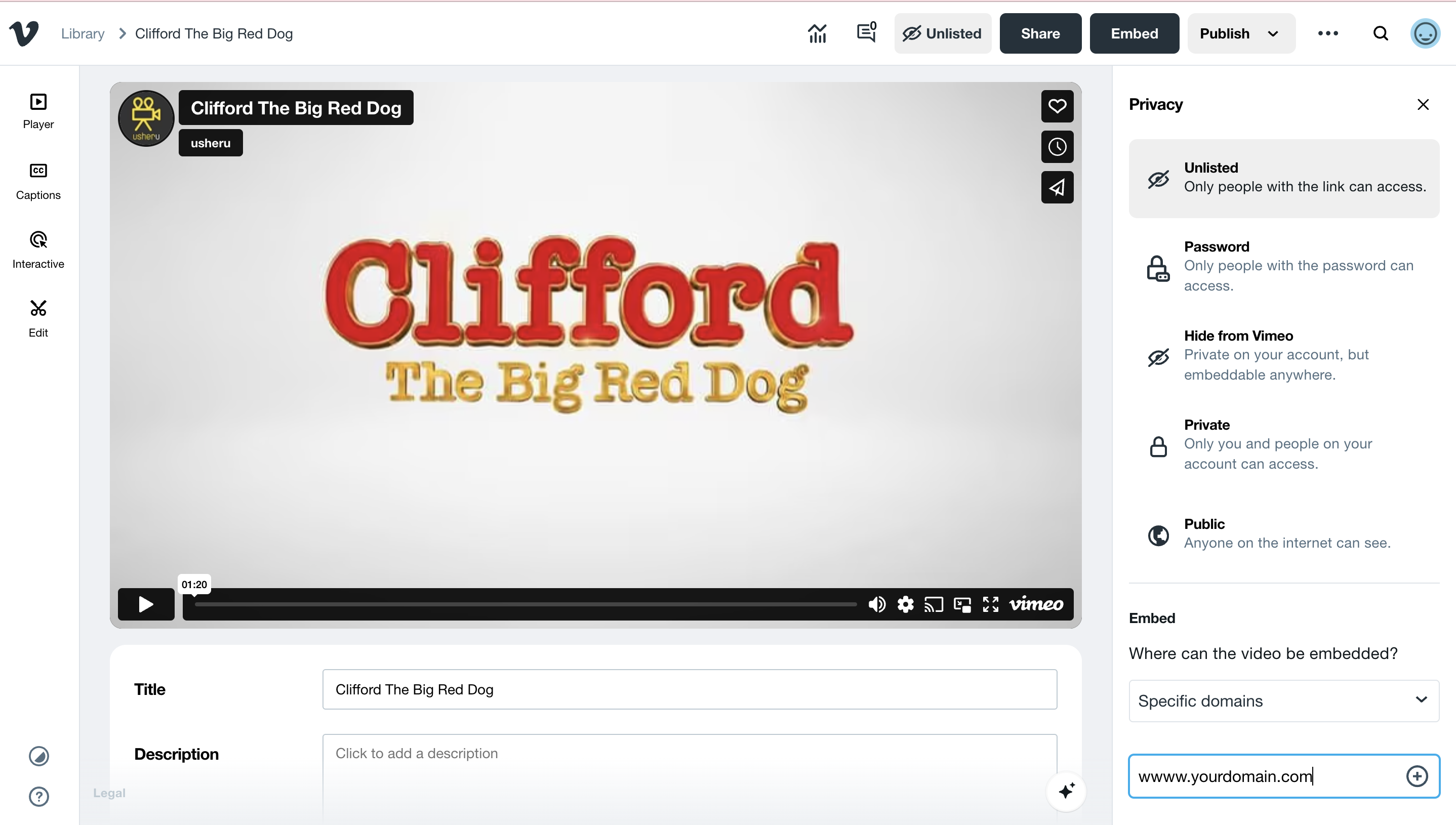
Next under Privacy > 'Embed' add your usheru Connect website domain
Once done, click the top menu 'Embed' button to get the video link. We only need the part of the code listed in quotation marks after iframesrc= as highlighted below. We don't need the full link, only the part up to and including h=[numbers & letters] before "&".
.png?sv=2026-02-06&spr=https&st=2026-07-15T17%3A52%3A31Z&se=2026-07-15T18%3A03%3A31Z&sr=c&sp=r&sig=%2F146dxzTkvDDbI307pQt82XFVvfCxWsbpih3B8%2FAD5k%3D)
How to add a video already uploaded on Vimeo to uPLAY?
If you already have a video uploaded to Vimeo, you can adjust the privacy settings to make it suitable for uPLAY.
Go to your library and click on the video you want to use. Then click on "Share" in the top menu.
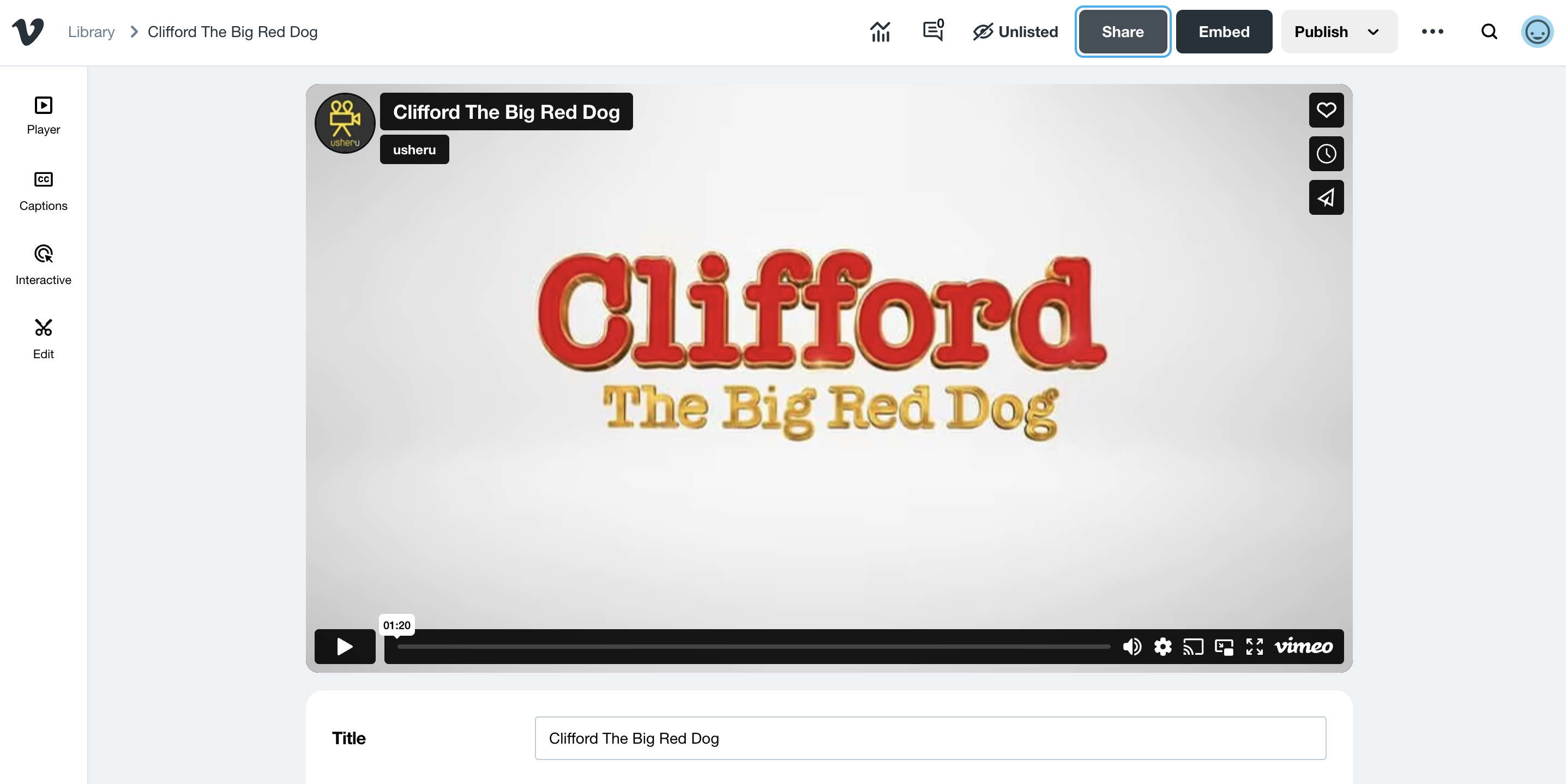
Ensure the video is set as unlisted.
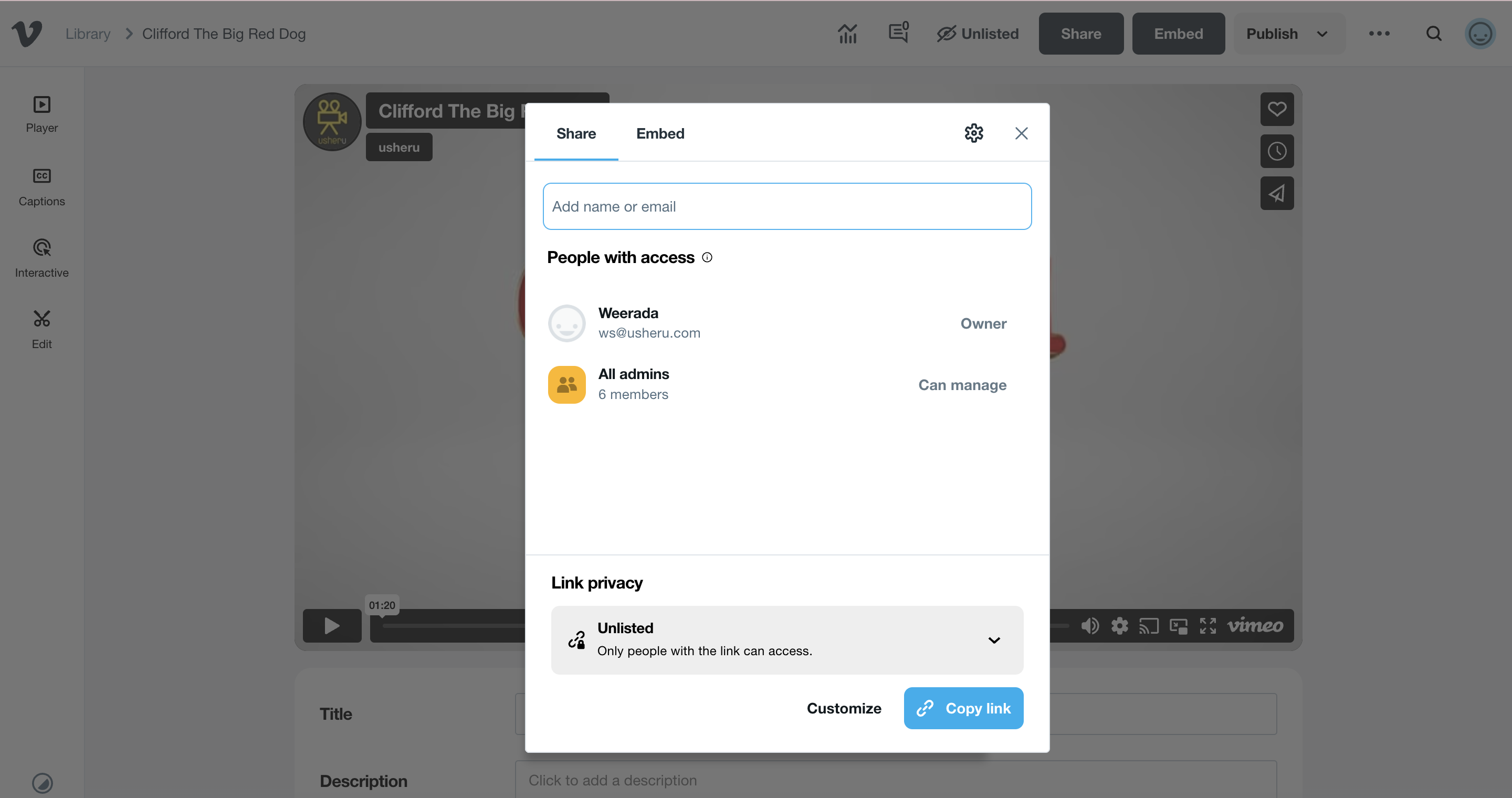
Click on the settings icon and ensure that "Allow Downloads" and "People can add to showcase" are both not enabled.
The click on embed and copy the link as shown in the previous section.
Now you are ready to set up your uPlayer streaming option in the dashboard.
https://guide.usheru.com/knowledge/how-do-we-set-up-a-uplay-video
Summary
If you have a paid Vimeo account and usheru Stream (formerly uPLAY) enabled on your usheru Connect platform you can upload the films you want to share on Vimeo and then create the player to allow users to rent/buy your films directly.