A guide to updating the Cast and Crew with the JSON text field
Introduction
Cast and crew data is automatically populated by usheru data, which is pulled from multiple sources. You can see this information under the ‘Information’ tab in the Cast and Crew field. On your website you can modify this or add your own custom cast and crew listing using a JSON field which allows for variation in spelling, order, adding more names, removing names and changing how you want the names listed.
Steps
1. Find your film in the usheru dashboard and click the pencil icon to edit.
2. Enter your website name in the field under the Custom Movie Data tab if required
3. Under Cast and Crew, click 'Generate from movie data'
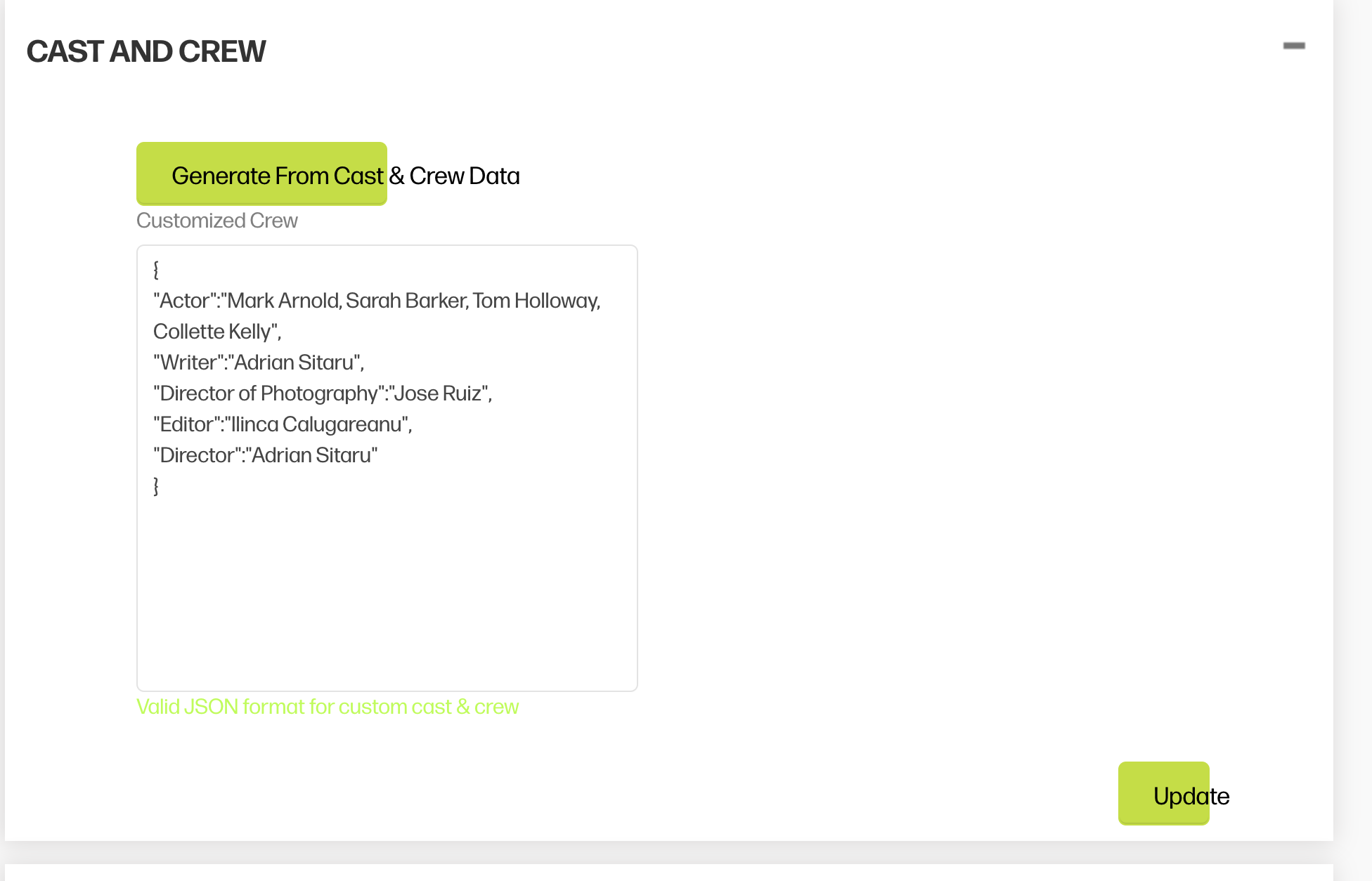
3. The formatting you can see above is using JSON format. The first section, e.g. "Director" is the role and the second section, after the colon is the group of names. Please maintain this format in order to keep your cast and crew listings in the proper styling on your site. Each line should look like:
"Job Title":"Name A, Name B, Name C, Name D p.g.a., Name E"
You have freedom to change the job title formatting, e.g. instead of Director you can type Directed By. To add another line or another role, ensure the previous line ends in a comma and hit enter on your keyboard to start the next line. It should look like this:
"Job Title":"Name A, Name B, Name C, Name D p.g.a., Name E",
"Job Title 2":"Name F, Name G"
IMPORTANT: The final line must not end in a comma or the updates won't save properly.
An example of formatting from the movie BABE:
{
"Actor":"Danny Mann, Christine Cavanaugh, Miriam Margolyes, Magda Szubanski, James Cromwell, Hugo Weaving, Miriam Flynn",
"Producer":"George Miller, Bill Miller, Doug Mitchell",
"Writer":"Chris Noonan, George Miller, Dick King-Smith",
"Director":"Chris Noonan"
}
Conclusion
Adding your own custom cast and crew can be done via the dashboard in the Custom Movie Data tab. Once you have mastered using the JSON format changes are quick and easy. If you have any difficulties however, do not hesitate to reach out to clientsupport@usheru.com who can help you make any necessary changes.